No code required
File 1099s from a spreadsheet.
Upload your 1099-NEC and 1099-MISC forms as a CSV, check every row before anything is filed, then e-file with the IRS and mail recipient copies, all from the Form Casa dashboard.
Up to 500 forms per file. E-file $0.50 per form, mail $1.50 per copy.
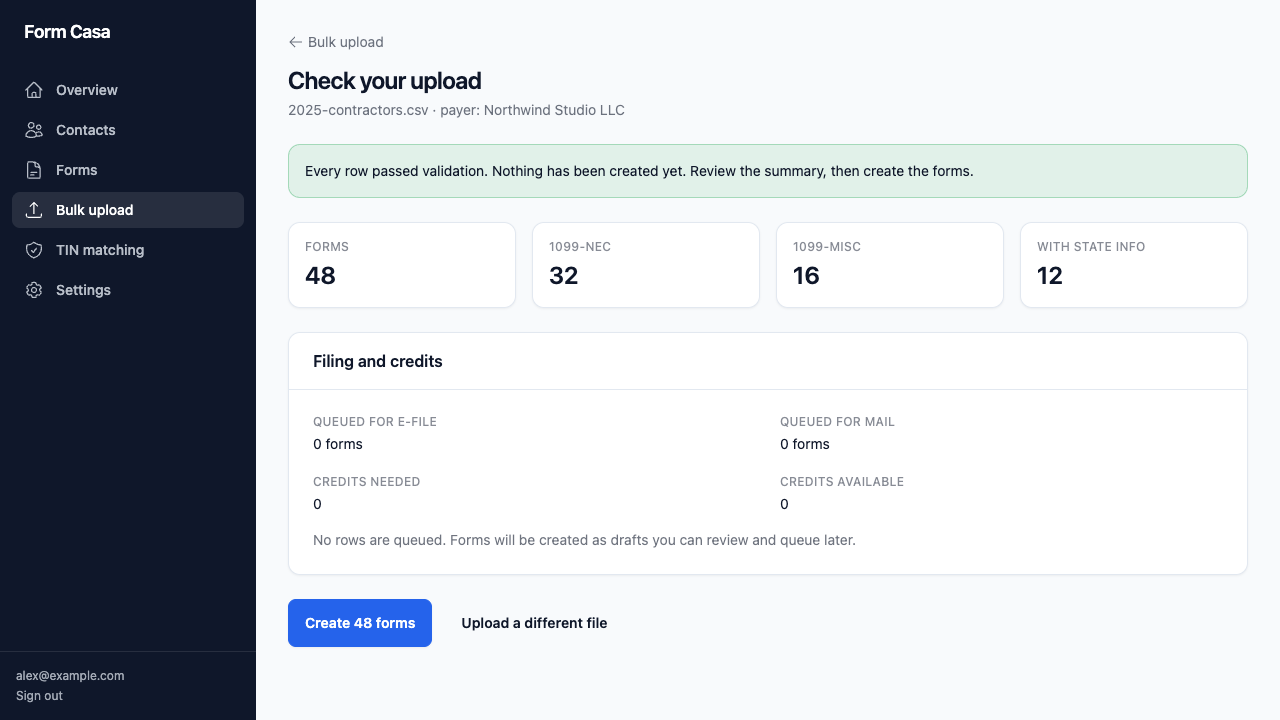
1. Upload a spreadsheet
Start from the blank template or the example. One row per recipient, up to 500 rows, with optional state information. Already have recipients? Import them as contacts first and reference them by ID.
- Every row is checked before anything is created
- See counts and the credit cost up front
- Fix the file and upload again if a row has an error
| form_type | first_name | last_name | business_name | box1 | state_code |
|---|---|---|---|---|---|
| nec | Jane | Example | — | 5000.00 | — |
| misc | — | — | Example Properties LLC | 12000.00 | CO |
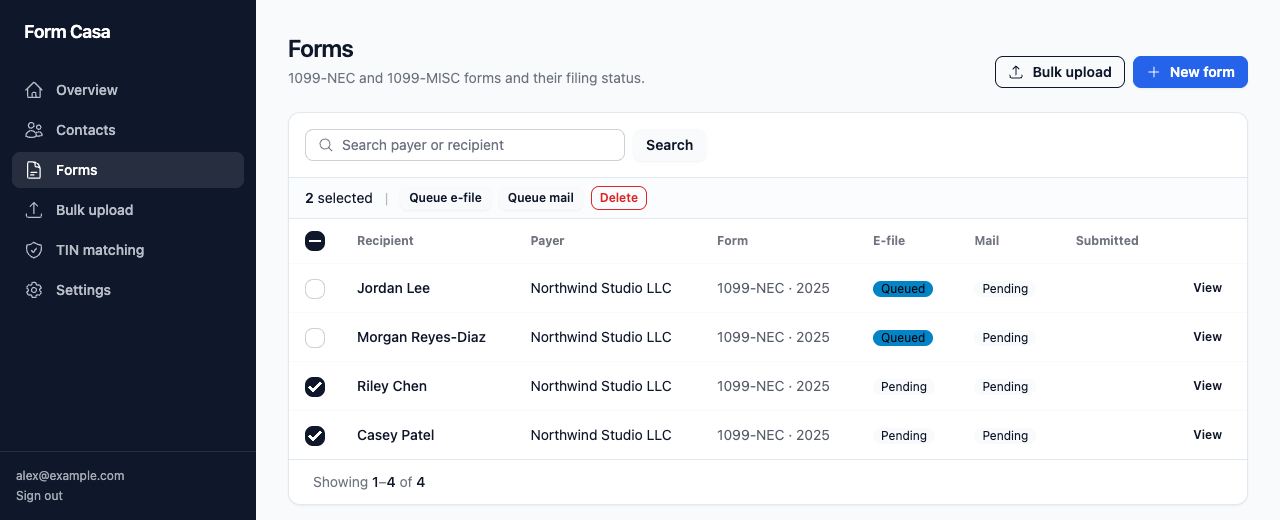
2. Review and file
Forms land in one list with their e-file and mail status. Select the ones that are ready and queue them for IRS e-file, mail, or both.
- Queue many forms at once
- Edit or delete forms until they are queued
- Download payer and recipient PDFs
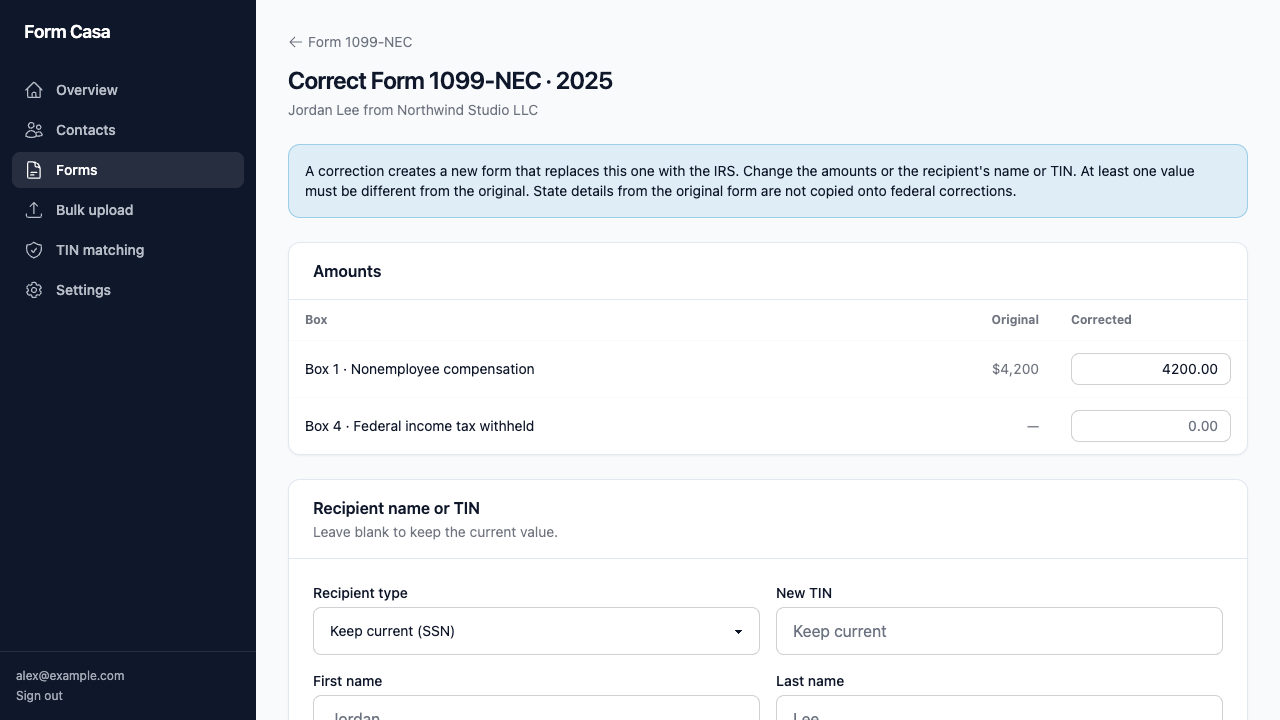
3. Fix mistakes with corrections
Filed a wrong amount, name, or TIN? Open the form, enter the corrected values, and Form Casa files a correction linked to the original.
- Original and corrected values side by side
- Change the recipient name, TIN, or TIN type
- Queue the correction for e-file and mail
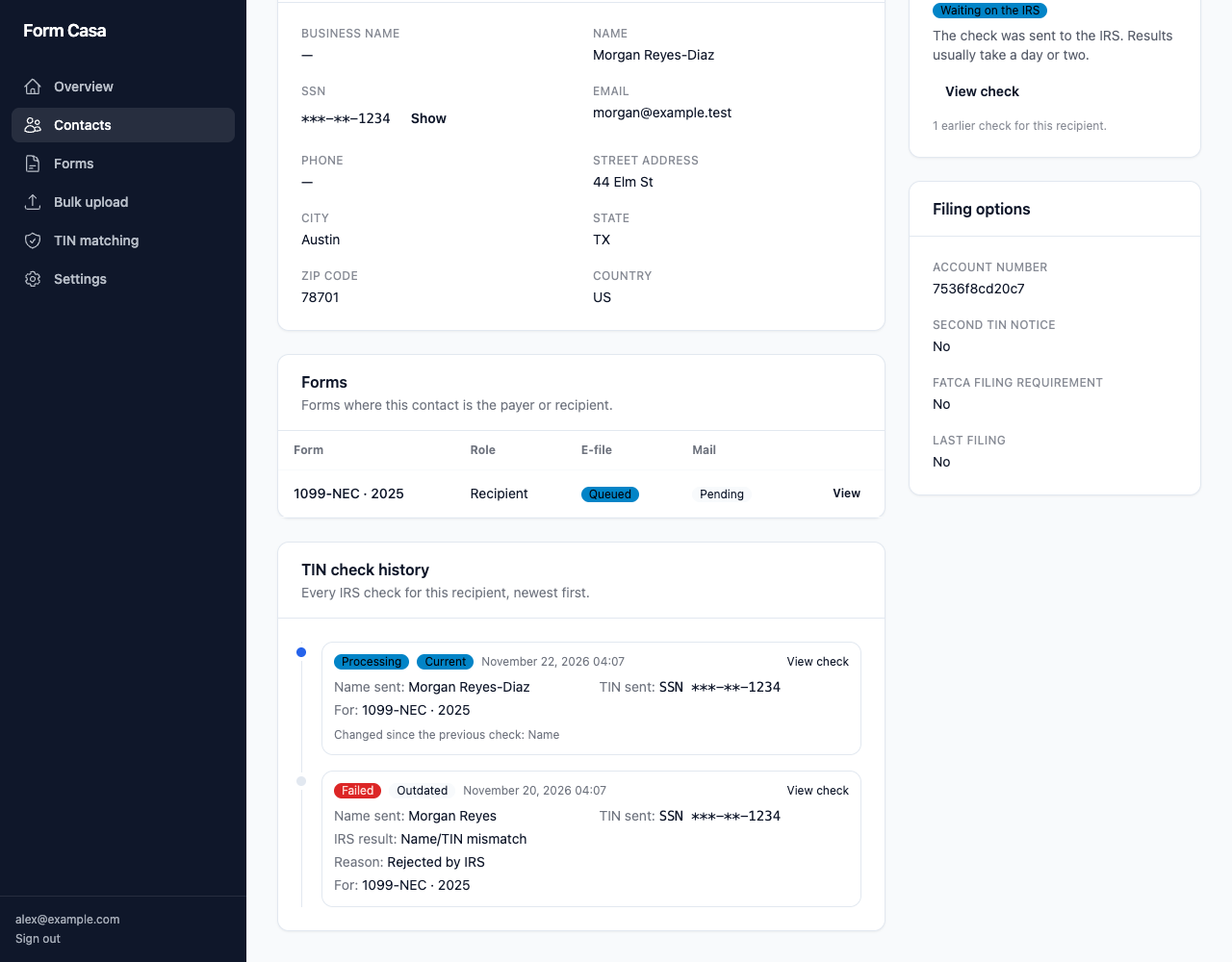
4. Verify recipient TINs
Turn on TIN matching to check names and TINs with the IRS before filing. If a check fails, fix the recipient and a new check starts for forms waiting on it.
- Every check for a recipient in one timeline
- See what changed between checks
- Forms wait until the recipient is verified
Prefer to build it into your software?
Everything on this page is also available through the API.
Start filing today
Create a free account. Add credits when you are ready to file.